

Description
Product Details :-
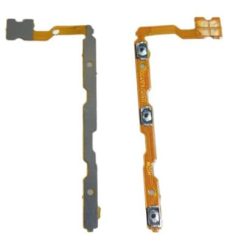
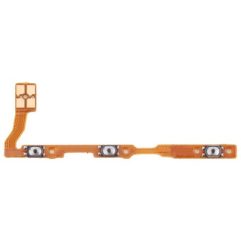
Replace your broken or damaged Power key Flex Cable with a brand new replacement Power key Flex Cable for Vivo Y95 .
- Manufactured using high quality and extremely durable materials.
- Perfect replacement for the original power key flex cable .
- Specifically manufactured for the Vivo Y95, precision machining ensures a perfect fit on the cell phone.
- High quality OEM product, each piece is tested and quality checked before shipping.
- This part is non-returnable, so please ensure you are purchasing the correct and appropriate part for your specific device.
- Image shown is for presentation purposes only, actual product may vary from the one shown in the image.
The Vivo Y95 (Model 1807) “On Off Patta” (Internal Flex Cable) is a mechanical ribbon component that connects the external physical buttons to the phone’s motherboard.
⚙️ Component Functions & Details
The Vivo Y95 Power and Volume Flex Cable is an integrated 2-in-1 assembly that handles:
Power Control: Restores the ability to turn the device on/off, wake the screen, and perform a fast reboot.
Volume Adjustment: Includes the internal tactile switches for both Volume Up and Volume Down.
Tactile Response: Replacing this part fixes “mushy” buttons that have lost their click feel or buttons that are completely stuck/unresponsive.
Product Specifications
| Feature | Detail |
| Component Type | Power & Volume Button Flex Cable (Patta) |
| Compatible Model | Vivo Y95 (Model 1807 / 1818) |
| Interchangeability | Often compatible with Vivo Y91, Y93, and Y91i models. |
| Fingerprint Style | Rear-Mounted (Separate component, not on this flex). |
| Installation | Requires opening the back panel; no soldering is typically needed. |
Important Repair Notes
Fingerprint Issues: If your fingerprint scanner is not working, replacing the “On Off Patta” will not fix it. You would instead need a Vivo Y95 Rear Fingerprint Sensor Flex.
Model Compatibility: While the internal flex is often the same for the Y91/Y93/Y95 series, always verify your model number in Settings > About Phone before purchasing.
Installation Caution: Flex cables are paper-thin and fragile. Avoid sharp kinks or applying too much pressure when reconnecting the cable to the motherboard to prevent tearing the copper tracks.


rishibabu58800 –
nice product